The Inbox Problem Is Usually a Workflow Problem
An overloaded inbox looks like a communication problem, but underneath it is often an unfinished workflow. Messages arrive with different levels of urgency, different kinds of context, and different next actions. Some need a short answer. Some need a document, a meeting, a quote, or a handoff. Some are not important today but still need to be remembered.
When that sorting happens manually, the same questions repeat every morning. Is this urgent? Who owns it? What information is missing? Can we answer now, or should we ask for clarification? Has this person written before? Should this become a task? The value of AI is not that it magically knows every answer. The value is that it can prepare a consistent first pass for the person who does.
Why Full Autopilot Is the Wrong Starting Point
It is tempting to imagine an AI system that reads every message, decides what to do, and sends replies automatically. For most real businesses, that is too much trust too early. Email carries tone, timing, commercial context, and private details. A small misunderstanding can create a bad promise, a confusing reply, or a missed opportunity.
The safer starting point is a draft-and-approval loop. AI can classify the message, summarize the context, suggest a next action, and draft a response. A human still approves, edits, or rejects the suggestion. This keeps the speed benefit while preserving accountability.
That distinction matters. AI triage is useful when it reduces cognitive load. It becomes risky when it hides judgment. A well-designed system should make the human decision easier to make, not make the decision invisible.
What AI Can Prepare Safely
In a practical email triage workflow, AI can help with several repeatable steps. It can identify whether a message is sales, support, administration, recruiting, supplier communication, or something else. It can extract the key request in plain language. It can point out missing information. It can suggest urgency. It can prepare a short internal note such as: this looks like a potential customer asking about a workflow automation project, but the budget and timeline are not yet clear.
It can also draft a reply for review. The draft does not need to be perfect. It needs to be useful enough that a person can quickly approve or adjust it. For many teams, that changes the inbox from a place where everything starts from zero into a place where the next step is already prepared.
A Concrete Approval Workflow
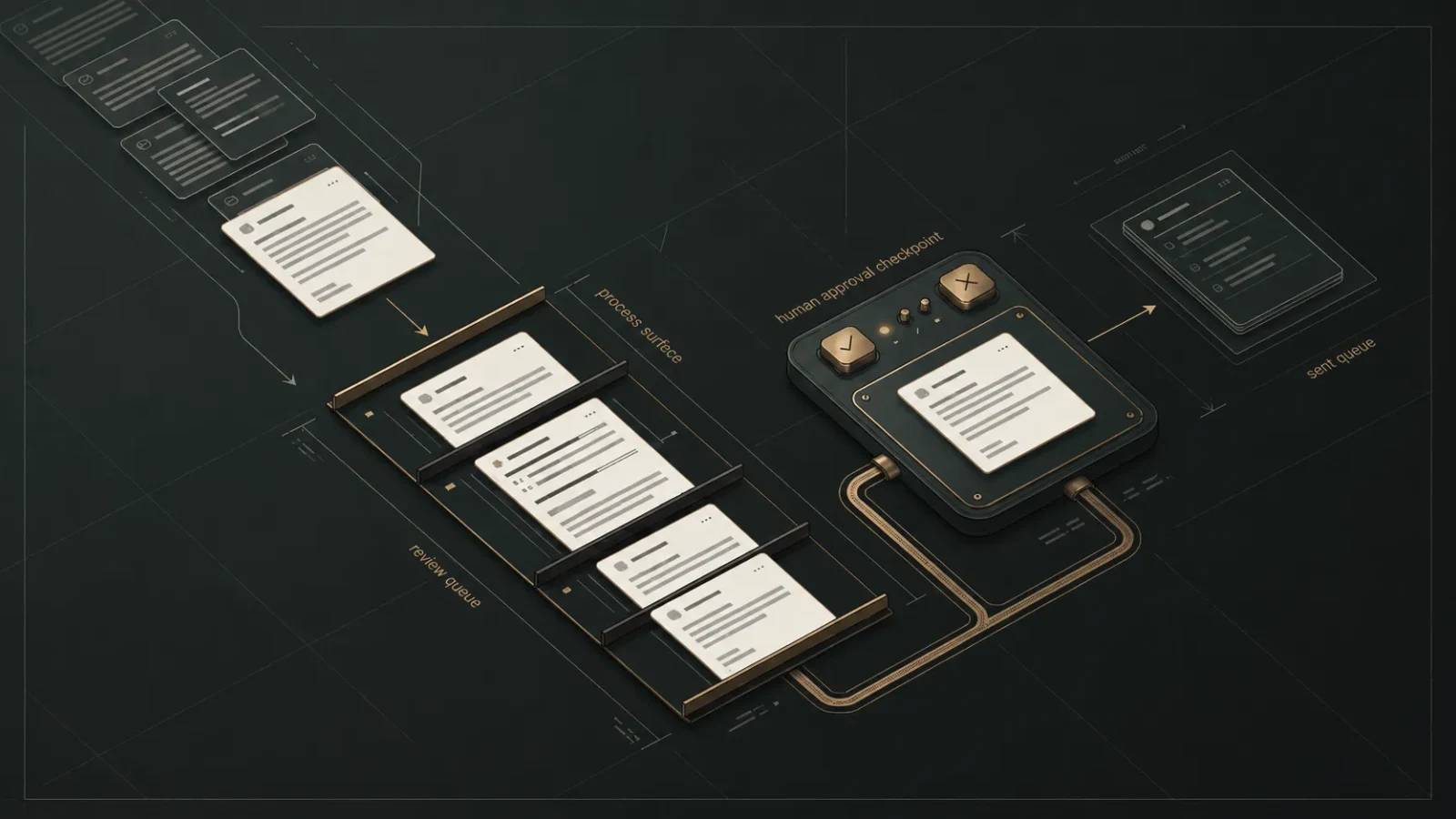
Imagine a small studio receives a message from a company asking whether email intake can be automated. A basic triage system could prepare a review card with four parts:
- a two-sentence summary of the request
- a suggested category, such as new project enquiry
- missing information, such as current tools and approval requirements
- a proposed reply asking for the missing details
The human reviewer sees the card, checks the original message, and chooses one of three actions: approve the draft, edit it, or mark it for manual handling. Nothing is sent without that choice. Over time, the team can learn which categories are reliable and which ones still need careful manual review.
This is small, but it is enough to change the daily rhythm. The person is no longer scanning every message from scratch. They are reviewing prepared work.
A matching example is the inquiry workflow with approval.
The Safeguards Matter More Than the Model
The model is only one part of the system. The surrounding safeguards decide whether the workflow is actually usable. A good setup should keep private content bounded, show the original message beside any AI summary, make approval explicit, and leave an audit trail for what was suggested and what was approved.
It should also have clear limits. Some categories can be prepared but not sent. Some messages should always be escalated to a person. Some replies should require a second review. The point is not to automate everything. The point is to remove repetitive preparation while keeping sensitive decisions in human hands.
How Nori Works Would Approach It
Nori Works would start with the workflow, not the tool. The first step is mapping the inbox categories, approval points, and failure cases. Then a small review-only prototype can show how messages would be classified, summarized, and prepared for approval. Only after that does it make sense to connect the workflow to real inbox tools or internal systems.
That approach keeps the first version useful and honest. It avoids pretending the system is ready for full automation before the approval rules are clear. It also makes it easier to improve the workflow step by step, because each part can be reviewed separately: classification, summary, suggested action, draft response, and human approval.
A Better Inbox Is a Better Decision Surface
AI email triage is not about making people disappear from the process. It is about giving them a better surface for decisions. The inbox becomes less of a pile and more of a queue of prepared choices. That is where automation can help without overreaching.
For a small team, the first useful milestone is simple: fewer repetitive scans, clearer priorities, and draft replies that are ready for human review. From there, the workflow can grow only where trust has been earned.